
PDF Reader
Download ApkPDF Reader Application Screenshots



PDF Reader AI Editor's Review
PDF Reader is a versatile and user-friendly application for viewing, annotating, and managing PDF documents on Android devices. Enjoy a seamless reading experience with its intuitive interface and powerful features.
Comprehensive Analysis
PDF Reader offers a comprehensive solution for handling PDF files on Android. It allows users to effortlessly open, view, and navigate through PDF documents. The application supports essential features such as zooming, searching, and bookmarking. Users can also annotate PDFs by highlighting text, adding notes, and drawing shapes. While the basic functionalities are free, some advanced features like PDF editing or conversion might require a subscription. Overall, PDF Reader provides a smooth and efficient user experience for managing PDF documents.
Key Advantages
- User-friendly interface for easy navigation
- Supports annotation and highlighting features
- Fast and reliable PDF rendering
Areas for Improvement
- Advanced features may require a subscription
- Can be resource-intensive with large PDF files
The description of PDF Reader
Site Editorial Commentary:Access All PDF Files
Are you searching for a powerful and easy-to-use PDF reader? Look no further than "PDF Reader"! This all-in-one application empowers you to effortlessly view, manage, and share all your PDF files, no matter where you are.Our app boasts a clean and intuitive interface, ensuring simple navigation and quick location of the PDFs you need. Experience seamless PDF handling with our feature-rich application.
Key Features of "PDF Reader":
1. One-Click PDF reading: Open and view PDFs with a single tap.
2. Access All PDF Files on Your Device: Quickly locate and access all PDFs stored on your phone or tablet.
3. Integrated Support for Various Document Types: Open and view various document types, including Doc, PDF, PPT, and Excel files.
4. Quick Page Navigation for Easy Reading: Jump to specific pages within your PDFs for efficient reading.
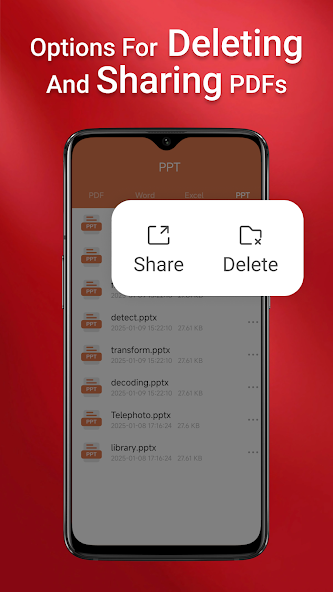
But that’s not all! Our PDF reader also allows you to seamlessly share your PDFs with others via email, messaging apps, and more. Download now and enjoy the convenience and flexibility of having your PDFs at your fingertips, wherever life takes you!
note:
On Android 11 and later, the app requires MANAGE_EXTERNAL_STORAGE permission to access and display your files. This permission is solely used for essential file-related operations and ensures full functionality.
The app requires the MANAGE_EXTERNAL_STORAGE permission because Android’s limited access alternatives (such as SAF or MediaStore) do not support:
* Performing operations across folders without user interaction.
* Accessing and editing files in SD card or non-standard locations.
* Managing documents in the background or Offline reliably.
Without this permission, key features like file preview, multi-file merging, and persistent access to stored documents may not function as intended. We prioritize your privacy and only request this permission to provide a seamless user experience.


