
WPS Office
Download ApkWPS Office Application Screenshots



WPS Office AI Editor's Review
WPS Office is a versatile and free office suite that offers comprehensive features for Word, PDF, and Sheet documents. It is a powerful alternative to other office suites, providing strong compatibility and a user-friendly experience for mobile and desktop users alike.
Comprehensive Analysis
WPS Office is a robust office suite that provides users with the tools necessary to create, edit, and view Word documents, PDFs, and spreadsheets. Its compatibility with Microsoft Office formats ensures seamless collaboration. The mobile version is particularly convenient for on-the-go editing, while the desktop version offers a more comprehensive experience. While the free version includes ads, the overall functionality makes it a strong contender in the office suite market. The user interface is intuitive, making it accessible to a wide range of users.
Key Advantages
- Comprehensive suite including Word, PDF, and Sheet functionalities.
- High compatibility with Microsoft Office formats.
- User-friendly interface suitable for both mobile and desktop use.
Areas for Improvement
- Contains ads in the free version.
- Some advanced features are locked behind a premium subscription.
The description of WPS Office
Site Editorial Commentary:Edit PDF, Word, Docs, Excel & PPT. Scan, Convert, Sign PDFs & Write with AI.
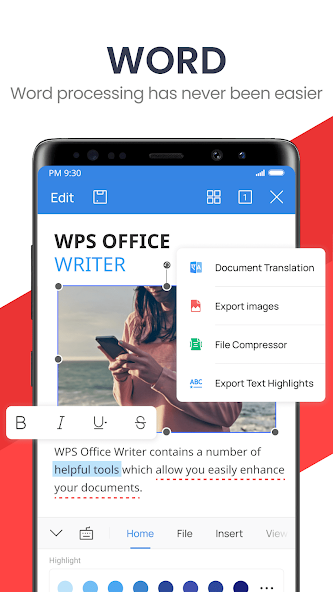
WPS Office is a comprehensive and free office suite designed for Android, integrating Word documents, PDF files, spreadsheets, PowerPoint presentations, and advanced AI features like WPS AI. It offers a versatile solution for creating, editing, viewing, and sharing documents on the go. Access a wide range of WPS Office functionalities directly from your mobile device, including scanning PDF files, editing slides, converting spreadsheets, and accessing documents anytime, anywhere. WPS AI enhances your productivity with features such as an AI-powered document scanner, AI-generated content, rewriting tools, chatPDF capabilities, and more. **Key Features of WPS AI:** 1. **AI-Powered Document Scanner:** Quickly and accurately digitize paper documents, extract information, and remove unwanted elements. 2. **WPS AI-Generated Content (AIGC):** Generate high-quality content instantly, including meeting summaries, event plans, and resumes, simply by using prompts. 3. **AI-Powered Rewriting:** Refine your writing with professional rewriting and polishing tools, making WPS AI a powerful writing assistant. 4. **ChatPDFs:** Effortlessly process long PDF documents, providing summaries, outlines, and translations. Engage in conversations with WPS AI to get instant answers about your PDFs. 5. **AI-Powered OCR:** Advanced OCR technology streamlines data entry tasks and provides insights from scanned documents. WPS Office is a professional word processor compatible with various office software, offering intelligent and user-friendly features. **Typical Features of WPS Office:** 1. **Powerful Office Suite on Your Android Device:** * Use templates to quickly start editing budgets, Word documents, presentations, spreadsheets, resumes, and other files. * Utilize tools to convert and process documents, PDFs, and images. * Easily create, edit, and share files, and collaborate with others in real-time. 2. **Scan, View, Edit, and Convert PDFs:** * A free PDF viewer to open, view, share, and comment on PDFs on any device. * Convert all Office documents (Word, Text, Sheet, PowerPoint, Docs, Images) to PDF. * Scan paper documents directly to PDF format. * Supports PDF annotation, signature, extraction/split, and merge functions. * Easily add and remove watermarks in PDF files. 3. **Robust Cloud Storage Functionality:** * Manage all your documents with WPS Cloud, synchronizing them in real-time across mobile phones and computers for easy access and editing. * Save documents to third-party cloud services like Dropbox, Google Drive, Box, Evernote, and Microsoft OneDrive. 4. **Solutions for Remote Work on Android Devices:** * Enjoy 1GB of free cloud storage with support for online editing and file sharing, facilitating easy team collaboration. * Share office documents easily via WIFI, NFC, DLNA, email, instant messaging apps like WhatsApp and Telegram, and social media platforms like Facebook and Twitter. WPS Office is also available for PC and Mac for free. Visit [https://www.wps.com/download/](https://www.wps.com/download/) to download. For support, please visit [https://www.wps.com/support/](https://www.wps.com/support/).What's New
• Spell Check now supports Spanish• Added support for Smart Shapes in the Shapes panel for Presentations• Added support for ID Photos in Scanner• Added QR code login support and improved the login and sharing experience; added Terabox support for third-party cloud drives• Bug fixes and stability improvements


