
Screen Mirroring Pro for Roku
Download ApkScreen Mirroring Pro for Roku Application Screenshots


Screen Mirroring Pro for Roku AI Editor's Review
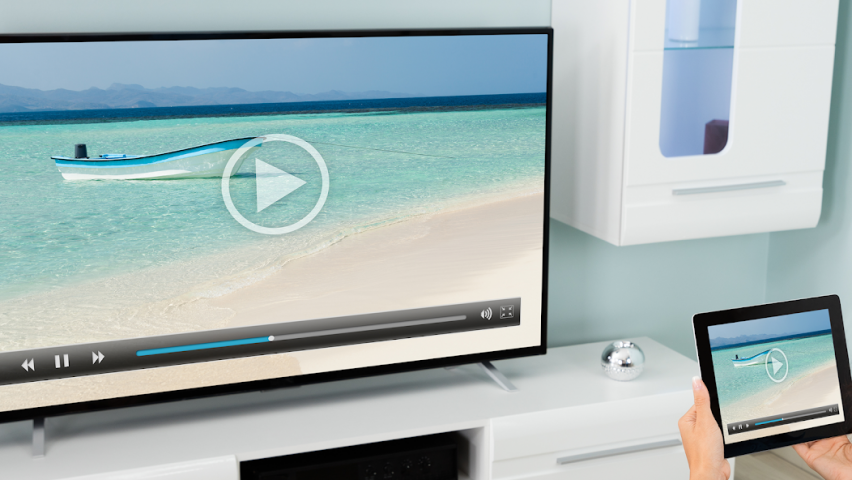
"Screen Mirroring Pro for Roku" offers a seamless way to cast your Android screen to Roku devices. Enjoy effortless streaming of photos, videos, and apps on your TV. Easy setup and stable connection make it a convenient choice for home entertainment and presentations.
Comprehensive Analysis
Screen Mirroring Pro for Roku simplifies the process of projecting your Android device's screen onto your Roku TV. The app boasts a user-friendly interface, making setup straightforward even for novice users. It reliably mirrors content like photos, videos, and apps, enhancing your viewing experience. While the connection is generally stable, occasional lag may occur depending on network strength. The app offers basic functionality for free, but some advanced features are locked behind a subscription. Overall, it's a solid choice for basic screen mirroring needs.
Key Advantages
- Easy to set up and use with intuitive interface.
- Stable and reliable screen mirroring connection to Roku devices.
- Supports mirroring of photos, videos, apps, and documents.
Areas for Improvement
- May experience occasional lag depending on network conditions.
- Some advanced features might require a premium subscription.
The description of Screen Mirroring Pro for Roku
Site Editorial Commentary:Screen Mirroring for Roku Sticks, Roku TCL TV and Roku Hisense TV
Effortlessly mirror your Android screen to Roku devices with **Screen Mirroring Pro for Roku**! Share your screen seamlessly on any Roku Stick, Roku Box, and Roku TV, including TCL and Hisense TVs. Enjoy a hassle-free, wireless connection with stunning HD quality.This app stands out as the premier screen mirroring solution, offering a fast, intuitive, and user-friendly experience. Share your cherished photos, captivating videos, thrilling games, important websites, essential apps, engaging presentations, and crucial documents with friends, family, and colleagues. Experience significant advantages over Roku's built-in Miracast-based screen mirroring.
Key Features:
* **Broad Device Compatibility:** Supports all Android devices running Android 5.0+ and all Roku devices, including Roku Sticks, Roku Boxes, Roku TVs, and Roku Express 3700/3710.
* **Simplified Setup:** Enjoy a remarkably easy and unified setup process across all Android devices. No complicated Android settings or Wi-Fi configurations are required.
* **Important note:** Ensure your Android device and Roku are connected to the same Wi-Fi network. Avoid using vpns, Proxies, VLANs, and Subnets.
* **Optimal Performance:** Achieve the best screen mirroring performance under favorable Wi-Fi network conditions. A 5GHz Wi-Fi network is highly recommended for a smoother experience.
* **Dedicated Support:** For any assistance or feedback, please reach out to us via email at [email protected]
**Screen Mirroring Pro for Roku** is brought to you by the developers of VIDEO & TV CAST, the world's leading video casting app, trusted by over 100,000,000 users across all platforms and devices.
*Disclaimer:* This app is not affiliated with any of the trademarks mentioned. ROKU, the ROKU Logo, STREAMING STICK, ROKU TV, ROKU POWERED, the ROKU POWERED Logo, ROKU READY, the ROKU READY Logo, "STOP DREAMING. START STREAMING.", "HAPPY STREAMING", "THERE'S A TON OF ENTERTAINMENT IN THIS LITTLE BOX," and "NOW THIS IS TV" are trademarks and/or registered trademarks of Roku, Inc. in the United States and other countries.
What's New
- BugfixesDon't forget to rate the app on Google Play! Thank you.


