
Slack
Download ApkSlack Application Screenshots



Slack AI Editor's Review
Slack is a leading collaboration hub for businesses, streamlining communication and boosting productivity. It offers channels, direct messaging, file sharing, and integrations with various apps, helping teams stay connected and organized, regardless of location.
Comprehensive Analysis
Slack is a popular communication platform designed to enhance teamwork and collaboration. Key features include organized channels for different topics, direct messaging for private conversations, and file-sharing capabilities. The platform also integrates seamlessly with numerous third-party applications, such as Google Drive and Zoom. While Slack promotes efficient communication, the constant stream of notifications can be distracting. Overall, Slack provides a valuable tool for businesses seeking to improve internal communication and productivity.
Key Advantages
- Excellent organization through channels and threads
- Seamless integration with third-party apps
- Robust search functionality for easy information retrieval
Areas for Improvement
- Can be overwhelming with a high volume of notifications
- Free plan has limited message history and features
The description of Slack
Site Editorial Commentary:All your team communication in one place
Slack helps companies, both large and small, transform workplace chaos into cohesive and efficient collaboration, streamlining communication and boosting productivity.It serves as a centralized digital workspace where you can host meetings, collaboratively edit documents, seamlessly share files, access your essential apps, engage with external partners, and leverage the power of AI and agents to stay ahead of the curve.
With Slack, you gain access to a comprehensive suite of tools designed to foster business growth and enhance team performance.
Facilitate seamless team communication:
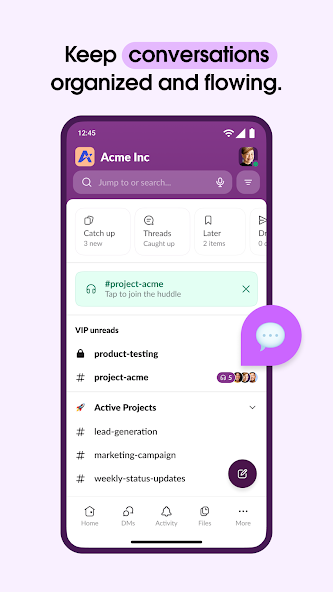
• Maintain organization with dedicated channels for each project, ensuring focused discussions and streamlined workflows.
• Collaborate effortlessly with your team, customers, contractors, and vendors, regardless of their location.
• Conduct video chats directly within Slack and share your screen for real-time presentations and discussions.
• When text isn't sufficient, record and send audio or video clips to clearly convey complex ideas and provide detailed explanations.
Keep projects on track and ensure timely completion:
• Utilize pre-made and customizable* templates to set projects up for success, providing a structured framework for planning and execution.
• Collaborate on various documents, including marketing plans and product specifications, within shared docs that are seamlessly integrated with your team's conversations.
• Track to-dos, assign tasks, and map out milestones using integrated project management tools* to maintain progress and accountability.
⚙️ Integrate seamlessly with your existing tools:
• Access over 2,600 apps, including popular platforms like Google Drive, Salesforce Data Cloud, Dropbox, Asana, Zapier, Figma, and Zendesk, extending Slack's functionality to meet your specific needs.
• Approve requests, manage your calendar, and update file permissions directly within Slack, eliminating the need to switch between multiple applications.
• Instantly locate files, messages, and information using AI-powered search**, saving valuable time and improving information retrieval.
Use Slack AI to automatically generate meeting notes, enabling you and your teammates to remain focused and engaged during discussions**.
*Requires an upgrade to Slack Pro, Business+, or Enterprise.
**Requires Slack AI add-on.
What's New
Bug Fixes• "Words are fleeting, but emoji are forever" is what our recent bug seemed to say when it prevented you from removing emoji from titles of lists. Our retort: "Mistakes are inevitable, but improvement is a lifelong project." Please enjoy the tiny improvements in this update.For more information about this version (and the others), see https://slack.com/release-notes/android


