
Zoom Rooms
Download ApkZoom Rooms Application Screenshots


Zoom Rooms AI Editor's Review
Zoom Rooms delivers a seamless video conferencing experience. It offers easy meeting setup, high-quality audio and video, and integration with existing calendars. Ideal for businesses of all sizes seeking efficient and scalable communication solutions.
Comprehensive Analysis
Zoom Rooms transforms meeting spaces into collaborative hubs. It simplifies video conferencing with one-touch meeting starts, wireless content sharing, and multi-screen support. The platform offers high-definition video and crystal-clear audio, ensuring effective communication. While requiring dedicated hardware, Zoom Rooms provides a reliable and scalable solution, making it a valuable asset for businesses looking to enhance their meeting experiences and improve productivity.
Key Advantages
- Simplified meeting setup and management
- High-quality video and audio conferencing
- Seamless integration with calendar systems
Areas for Improvement
- Can be expensive for smaller businesses
- Requires dedicated hardware for optimal performance
The description of Zoom Rooms
Site Editorial Commentary:Bring simple, scalable video conferencing to any meeting space with Zoom Rooms.
Meet Happy. Zoom Rooms delivers a seamless and scalable video conferencing experience, transforming any meeting space – from conference rooms and training rooms to huddle rooms and executive offices – into a hub for collaboration with wireless content sharing and integrated audio.Zoom Rooms video conferencing systems offer flexibility by utilizing appliance or custom hardware deployments to bring high-quality video, audio, and content sharing to diverse environments. Easily connect with participants on mobile devices, desktops, and in other rooms, regardless of location.
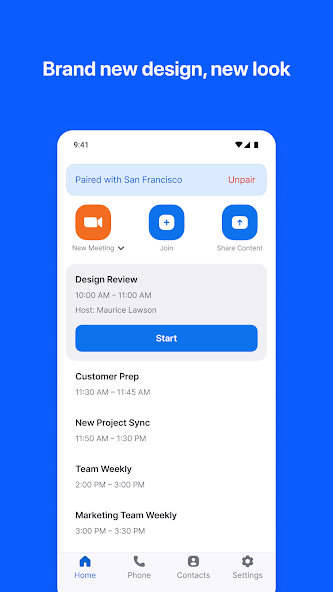
The Android Tablet app serves as a dedicated Zoom Rooms ConTroller, connecting to a Mac, PC, or Zoom Rooms Appliance within the room. The Android Phone app pairs with a Zoom Room, providing similar control functionality directly on your personal mobile device for enhanced convenience.
The tablet screen can be switched to Scheduling Display mode and placed outside the room to show real-time availability, display upcoming meetings, and facilitate instant Zoom meeting reservations.
Installation is simple: just install the app and follow the on-screen instructions.
KEY FEATURES:
● Experience the best video and screen sharing quality for clear and engaging meetings.
● Quick setup enables seamless integration of Zoom Rooms with Google calendar, Office 365, or Microsoft Exchange.
● Join or start meetings with a single touch, simplifying the meeting experience.
● Utilize intuitive room controls to easily manage audio, video, participants, and more.
● Enjoy wireless screen sharing from any device, fostering seamless collaboration.
● Supports up to 3 HD screens to accommodate any conference room size and layout.
● Supports native room control integration for controlling lighting, projectors, and other room equipment.
● Supports unlimited scheduling displays for simplified booking and efficient room management.
● Supports unlimited digital signage to remotely push content to screens both inside and outside conference rooms, enhancing communication and engagement.
● Pair and control Zoom Rooms and Zoom for Home devices directly from your personal mobile device for ultimate convenience.
● View the active speaker, shared content, or gallery view with up to 49 video feeds for a comprehensive meeting experience.
● Accommodate up to 1,000 interactive Meeting participants or 10,000 view-only Zoom Video Webinar attendees, catering to meetings of any size.
● Record your meetings for easy sharing and future review.
● Connect with anyone using Zoom Rooms, Android, iOS, Windows, Mac, SIP/H.323 room systems, telephones, and other devices, ensuring universal compatibility.
Follow us on social @zoom!
Have a question? Contact us at http://support.zoom.us.
What's New
• End of support for Zoom Rooms Controller on Phone• Content sharing with native NDI source• Co-host permissions for meeting recordings and transcripts• Zoom in and out on shared content in a Zoom Room• Support dynamic gallery view layout in Zoom Rooms• Retirement of the "AI Companion" name• Support dynamic gallery view layout in Zoom Rooms• Smart Gallery and Touch Up My Appearance conflict management on Zoom Rooms for Android• Minor bug fixes• Security enhancements


