
Paychex
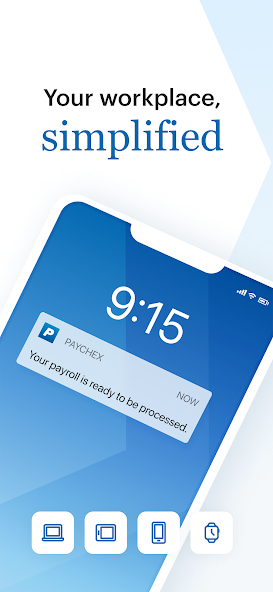
Download ApkPaychex Application Screenshots


Paychex AI Editor's Review
Paychex Flex streamlines payroll and HR tasks for registered users. Manage employee data, run payroll, and access reports on the go. A convenient solution for businesses already using Paychex services, offering mobile accessibility for key HR functions.
Comprehensive Analysis
The Paychex Flex app provides a mobile extension to the Paychex platform, allowing registered users to manage essential payroll and HR functions from their Android devices. Users can process payroll, view employee information, and access reports. The app aims to simplify administrative tasks for business owners and HR professionals who are frequently on the move. While the mobile experience is streamlined, the app's features are less comprehensive than the full desktop version. Overall, it offers a practical solution for managing payroll and HR when desktop access is unavailable.
Key Advantages
- Convenient mobile access to Paychex services
- Streamlines payroll and HR management tasks
- User-friendly interface for easy navigation
Areas for Improvement
- Requires existing Paychex account
- Limited functionality compared to desktop version
The description of Paychex
Site Editorial Commentary:Paychex Flex - Save Time and Stay Connected
The Paychex Flex app is designed for users already registered with Paychex Flex (paychexflex.com).Paychex Flex empowers both employers and employees by providing access to essential payroll and benefits functionalities directly from their mobile devices. Stay connected and manage your payroll and HR tasks efficiently, no matter where you are.
Feature availability is tailored to your company's specific plan options.
EMPLOYERS:
Enhanced Security:
* Securely access your account with Touch ID and Face ID authentication.
Streamlined Payroll Submission:
* Submit Payroll: Easily enter, review, and submit payroll information on the go.
* Cross-Device Compatibility: Seamlessly resume payroll processes started on your tablet or desktop.
Comprehensive Information Access:
* Reporting: Access all reports, including detailed payroll reports and cash requirements.
* Employee Documents: View employee check stubs and important tax documents.
* Employee Profiles: Access employee profiles with detailed information on compensation, taxes, deductions, and time-off balances.
* Retirement Plans: Monitor retirement plan balances, participation rates, and employee eligibility.
* Health & Benefits: Access health and benefits carrier information and member guides.
* Enrollment Management: Review health and benefits employee enrollment and election information.
EMPLOYEES:
Enhanced Security:
* Securely access your account with Touch ID and Face ID authentication.
Comprehensive Information Access:
* Pay Information: View check stubs and W2s easily.
* Retirement: Check retirement balances, contributions, returns, and loans.
* Retirement Management: Update retirement contributions and investment allocations.
* Personal Information: Access your profile, compensation details, tax information, deductions, and time-off balances.
* Health & Benefits: Review health, dental, and life insurance benefit details, deductions, and contact information.
* Flexible Spending Accounts (FSA): Monitor FSA contributions, balances, claims, and reimbursement activity.


