
Northstar Bank Business mRDC
Go to GooglePlayNorthstar Bank Business mRDC Application Screenshots



Northstar Bank Business mRDC AI Editor's Review
Northstar Bank Business mRDC offers convenient mobile remote deposit capture for existing Northstar Bank business clients. It simplifies check deposits anytime, anywhere, enhancing business efficiency. Streamline your banking tasks with this user-friendly application.
Comprehensive Analysis
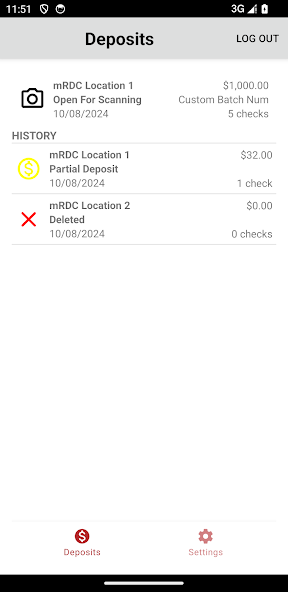
Northstar Bank Business mRDC allows existing business clients to deposit checks remotely using their mobile devices. The application streamlines the deposit process, saving time and improving efficiency. Users can easily capture check images and submit them for deposit from anywhere. The interface is generally intuitive, providing a straightforward banking experience for Northstar Bank customers. Security measures are in place to protect sensitive financial information during transactions. However, it is exclusively for current Northstar Bank business clients.
Key Advantages
- Convenient remote check deposit for business users
- Saves time and reduces trips to the bank
- Easy-to-use interface for quick deposits
Areas for Improvement
- Limited to existing Northstar Bank business clients
- May require specific device permissions for check imaging
The description of Northstar Bank Business mRDC
Site Editorial Commentary:Northstar Bank Business mobile RDC
This application is intended for existing users of the Northstar Bank Business mRDC service only and requires an account at Northstar Bank servers. It does not function without such an account. Contact Northstar Bank for additional information.What's New
The new version has been rewritten in a native language, it has a more up-to-date look and feel that enhances the existing functionality. Also includes the current API level required.


