
Remote control for Samsung TV Smart & Free
Tải xuống APKRemote control for Samsung TV Smart & Free Ảnh chụp màn hình ứng dụng

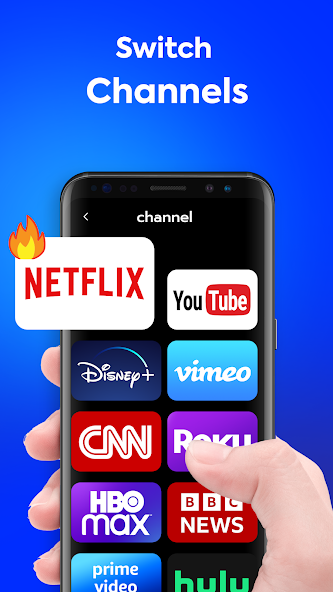


Remote control for Samsung TV Smart & Free AI Đánh giá của biên tập viên
Effortlessly control your Samsung Smart TV with this free remote app. Enjoy a streamlined interface, comprehensive functionality, and convenient access to all your TV's features directly from your phone. Say goodbye to lost remotes!
Phân tích toàn diện
The 'Remote control for Samsung TV Smart & Free' app offers a convenient way to manage your Samsung Smart TV. It replicates the functionality of a physical remote, allowing users to change channels, adjust volume, navigate menus, and access smart features directly from their smartphone. The app is generally user-friendly, with a straightforward interface. However, the presence of advertisements may detract from the overall experience. Ensure your TV and phone are on the same Wi-Fi network for optimal performance.
Ưu điểm chính
- Easy to use and intuitive interface
- Comprehensive control over Samsung Smart TV functions
- Free to download and use
Khu vực cần cải thiện
- May contain ads
- Requires a compatible Samsung Smart TV and Wi-Fi connection
Mô tả của Remote control for Samsung TV Smart & Free
Site Editorial Commentary:Get TV Control Samsung Smart TV Remote, universal remote Samsung Smartthings app
Transform your smartphone into a powerful remote control for your Samsung TV with "Remote control for Samsung TV Smart & Free"! Forget about misplaced physical remotes – this app offers a convenient and comprehensive solution for conTrolling your Samsung TV directly from your phone.This app replicates the functionality of a traditional Samsung TV remote, providing a virtual remote control interface on your smartphone. It's a smart and free remote control solution designed for all Samsung TVs. The layout mirrors the original Samsung TV remote control model, ensuring a familiar and intuitive user experience. Functioning just like an infrared remote, this universal remote allows you to access all the features you would expect from a physical remote. It supports a wide range of Samsung TV series, including Samsung K-series Tizen TVs (2016 and later) and A, B, C, D, E, F, G, H, J series Samsung TVs with IR interface (also known as Samsung remote control ir).
Key Features:
* Compatible with all Samsung Smart TVs.
* Time-saving debugging remote button.
* Easy setup for adding and controlling your TV.
* Support for multiple remote control additions, allowing you to switch between devices easily.
How to Use:
1. Add a Samsung Remote Control for TV: On the app homepage, tap "ADD A REMOTE" to begin adding a universal TV remote control.
2. Choose Your Samsung TV Model: Select your TV model on the "CHOOSE MODE" page, or tap "SKIP" to test from the first model on the list.
3. Test the Remote: On the "TEST BUTTON" page, tap the button and confirm that your TV responds. (The button in the test area provides vibration feedback.)
4. Name Your Samsung TV Remote: If the TV responds correctly, tap "YES" and name the Samsung remote control for TV as desired.
5. Use the Samsung Remote App: Point your phone's IR blaster directly at the Samsung TV, just as you would with the original infrared remote.
Additional Tips:
* Add multiple Samsung Remote Control TVs for controlling various devices.
* Switch between saved Samsung remotes at any time.
* The last used remote control interface will be displayed upon next use.
* If you exit the app from a non-remote control interface, the last saved Samsung remote control interface will be displayed by default.
Disclaimer:
This universal remote control is not affiliated with or endorsed by Samsung or any other developers. This app is an unofficial product.
Our All Samsung TV Remote Control - Smart Remote App requires an IR blaster. Your device must have a built-in IR transmitter or an external infrared transmitter to control the TV.
Có gì mới
1.General optimizations2.Experience improvements3.Performance and experience enhancements


