
Digital Wellbeing
APK 다운로드Digital Wellbeing 앱 스크린샷



Digital Wellbeing AI 편집자의 리뷰
Digital Wellbeing helps you understand and manage your digital habits. It provides insights into app usage, screen time, and notifications, allowing you to disconnect and focus on what matters most. Take control of your digital life with this helpful tool.
종합 분석
Digital Wellbeing offers a comprehensive overview of your digital habits. It tracks app usage, screen time, and the frequency of notifications, presenting the data in an easy-to-understand format. Features like app timers allow you to set limits on specific apps, while Wind Down mode helps you prepare for sleep. While the amount of information can be overwhelming, the app provides valuable insights and tools to promote a healthier relationship with technology. The user experience is generally smooth and intuitive, contributing to its effectiveness in helping users manage their digital lives.
주요 장점
- Provides detailed insights into app usage and screen time.
- Offers tools to manage notifications and reduce distractions.
- Helps users disconnect and improve their digital wellbeing.
개선 영역
- Can be overwhelming with the amount of data it presents.
- Some features may require more customization options.
설명 Digital Wellbeing
Site Editorial Commentary:Improve your wellbeing and disconnect more easily
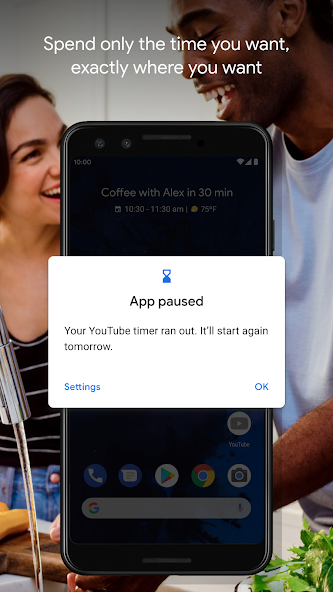
Gain comprehensive insights into your digital lifestyle and create healthy tech habits with Digital Wellbeing. This app provides a holistic view of your digital habits, empowering you to disconnect and reclaim your time when needed. Key Features: * **Daily Digital Snapshot:** Understand your daily tech usage with detailed statistics, including app usage frequency, the number of notifications received, and how often you check your phone or unlock your device. * **Disconnect & Reclaim Your Time:** * **App Timers:** Set daily usage limits for specific apps to help you manage your screen time effectively. * **Bedtime mode:** Establish a healthy sleep routine by scheduling your screen to fade to Grayscale at night. Do Not Disturb mode simultaneously silences notifications for undisturbed sleep. * **Focus Mode:** Temporarily pause distracting apps with a single tap, enabling you to concentrate on the task at hand. Schedule Focus mode to activate automatically during work, School, or designated focus times, minimizing interruptions. Getting Started: * Find Digital Wellbeing conveniently located within your phone's Settings menu. Need Assistance? * Visit the Help Center for frequently asked questions and troubleshooting: https://support.google.com/android/answer/9346420새로운 소식
Several bug fixes and stability improvements.


