
Knox Service Plugin
Télécharger l'APKKnox Service Plugin Captures d'écran de l'application
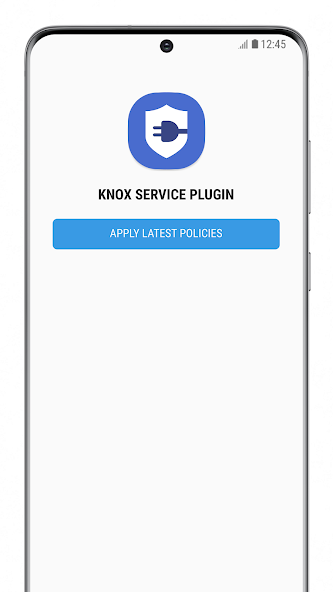

Knox Service Plugin AI Avis de l'éditeur
Knox Service Plugin is designed for enterprise IT admins, simplifying Knox Mobile Enrollment and device configuration. It streamlines device management and enhances security policies, but requires specific IT infrastructure and technical expertise.
Analyse complète
The Knox Service Plugin caters specifically to enterprise IT administrators managing Samsung Knox devices. It facilitates seamless Knox Mobile Enrollment and simplifies complex device configurations. While the app streamlines these processes and bolsters security, its utility is limited to organizations already utilizing the Knox platform. End-users without IT administration privileges will find the app irrelevant. The setup typically requires technical knowledge for configuration.
Principaux avantages
- Streamlines Knox Mobile Enrollment process.
- Simplifies enterprise device configuration.
- Enhances mobile device security policies.
Domaines d'amélioration
- Requires existing Knox infrastructure.
- Not intended for general consumer use; IT admin expertise needed.
La description de Knox Service Plugin
Site Editorial Commentary:For enterprise IT Admins to setup Knox policies on Samsung mobile devices.
note:1) This app is designed for enterprise IT administrators to configure Knox policies on managed devices.
2) This app utilizes Device Administration permissions to establish policies and manage Samsung Knox Platform for Enterprise (KPE) enabled mobile devices, ensuring enhanced security and control.
Knox Service Plugin (KSP) is a crucial application supporting a specialized subset of Samsung Knox Platform for Enterprise (KPE) features, streamlining device management for businesses.
Enterprise IT administrators leverage the KSP app to activate KPE policies on their managed devices. Once activated, these devices can be deployed in various modes: fully managed, Knox Workspace, or fully managed with Knox Workspace, offering flexibility and control.
To facilitate this seamless experience, IT administrators should employ a compatible UEM/EMM solution provider that incorporates Managed Play Store and OEMConfig within their console and backend infrastructure.
This application is compatible with Android 9.0 and above across all deployment modes, ensuring broad compatibility and up-to-date security features.
Learn more about Samsung Knox Platform for Enterprise: https://www.samsungknox.com/en/solutions/it-solutions/knox-platform-for-enterprise
Consult the KSP admin guide for detailed instructions on utilizing the application to configure KPE policies on devices within your enterprise: https://docs.samsungknox.com/admin/knox-service-plugin/welcome.htm
This app incorporates libraries licensed under Apache License 2.0. A copy of the License can be obtained at http://www.apache.org/licenses/LICENSE-2.0.
--- App Access Permissions ---
The following permissions are required for the app service. For optional permissions, the default functionality of the service is enabled but not mandatory.
[Optional permissions]
- File & Media (Android 12) or External Storage (~Android 11): Specifically to write policies to the device in Verbose mode for problem analysis, aiding in troubleshooting and optimization.


