
ONVIF IP Camera Monitor (Onvifer)
Download ApkONVIF IP Camera Monitor (Onvifer) Application Screenshots


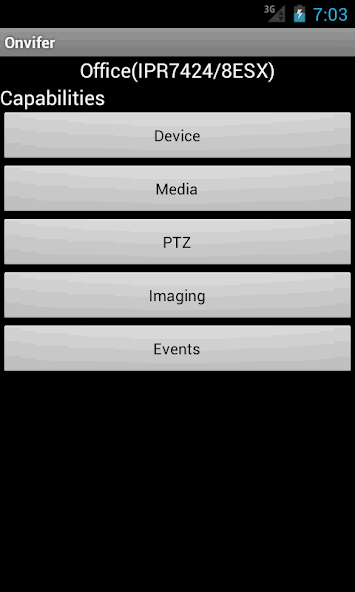
ONVIF IP Camera Monitor (Onvifer) AI Editor's Review
ONVIF IP Camera Monitor (Onvifer) offers comprehensive IP camera monitoring, control, and configuration. It allows users to easily explore and manage their cameras with a user-friendly interface. A solid choice for both home and business surveillance needs.
Comprehensive Analysis
ONVIF IP Camera Monitor (Onvifer) provides a streamlined experience for managing IP cameras. It simplifies the process of monitoring, controlling, and configuring cameras on your network. The app allows users to explore camera functionalities and adjust settings to their liking. While the basic setup is straightforward, some networking knowledge may be required. The user interface is clean and intuitive, making it easy to navigate and manage multiple cameras. Overall, it's a useful tool for basic IP camera management.
Key Advantages
- Easy to monitor and control IP cameras remotely.
- Allows configuration of camera settings.
- User-friendly interface for easy navigation.
Areas for Improvement
- May require some networking knowledge for initial setup.
- Limited advanced features compared to dedicated surveillance systems.
The description of ONVIF IP Camera Monitor (Onvifer)
Site Editorial Commentary:Modern IP Camera Video Management System, Support 10,000+ models, Hi-Performance
Transform your Android device into a powerful surveillance hub with **ONVIF IP camera Monitor (Onvifer)**. This application goes beyond a simple IP camera viewer, offering extensive control, exploration, and configuration capabilities for your IP cameras.**Key Features:**
* **Broad Compatibility:** Seamlessly integrates with all modern ONVIF® conformant IP cameras, unlocking compatibility with over 5000 NVT devices, including network cameras and servers. It also supports older cameras via generic RTSP and MJPEG streams, ensuring a wide range of device support.
* **Advanced Streaming:** Benefit from RTSP over HTTP, facilitating firewall traversal and simplifying server configurations. Enjoy high-quality video with H.264 (Advanced Video Coding), the same format used by Blu-ray and YouTube, optimized for smooth streaming even with limited bandwidth.
* **Comprehensive Control:** Explore in-depth device properties, control Pan-Tilt-Zoom (PTZ) functions with intuitive flick-to-pan/tilt and click-to-zoom controls. Digital PTZ is available for non-PTZ cameras in the Pro version.
* **High-Quality Audio & Video:** Supports both AAC and G.711 audio codecs. Record in standard MP4 format with H.264 video encoding and AAC audio encoding for high quality and player compatibility.
* **Easy Setup & Discovery:** Instantly discover all ONVIF devices on your network. Adding a camera is as simple as a few clicks.
* **Convenient Monitoring:** Utilize the widget for snapshot previews on your Android home screen and one-click access to video streaming. The app's home screen also features periodically updated snapshots.
* **Flexible Viewing:** Supports multi-view for simultaneous camera monitoring, with both portrait and landscape orientations, as well as fit and crop-and-fill viewing options.
**Additional Information:**
* This app supports generic RTSP/MJPEG for non-ONVIF IP cameras.
* Dutch translation is kindly provided by Koen Zomers ([email protected] – www.koenzomers.nl) and Elmer Verrijssen ([email protected] - https://elversoft.com - Elversoft)
* Estonian translation is kindly provided by Mr. Olari Saul ([email protected]).
* French translation is kindly provided by Mr. Jean Bruder ([email protected]).
* German translation is kindly provided by Mr. Jörg Trampert and Mr. Dominik Trampert (trampert. joerg@gmail. com).
* Italian translation is kindly provided by ipDoor ([email protected], www.ipdoor.com), a leader in IP Door Phones. Access Control and Home Automation Solution.
* Polish translation is kindly provided by Mr. Paweł Łukasik ([email protected]).
* Portuguese translation is kindly provided by a Brazilian engineer.
* Russian translation is kindly provided by Минин Максим([email protected]).
* Slovenian translation is kindly provided by Mr. Marjan Mirai ([email protected]).
* Spanish translation is kindly provided by Mr. Pedro Torres ([email protected]).
* Ukrainian translation is kindly provided by Минин Максим([email protected]).
* Please note: IP CENTCOM is the name of our Windows 8.1/10, Windows Phone versions.
**App's web page:**
[https://www.ipcent.com/Mobile/onvifer](https://www.ipcent.com/Mobile/onvifer)
*ONVIF is a trademark of ONVIF, Inc.*
*The Amazon and eBay links in the app may lead to commissions for us from purchases.*
What's New
2026-09-14 22.31 (PR: 22.29, 22.27, 22.25, 22.23, 22.21)Improved the capture of the last frame at the end of video streaming to update the home screen tile.Optimized the app to shrink the app package further. Its size is only 1/5 of peers' average. A smaller size means faster download, faster start, and better performance. This is particularly useful for low-end Android devices.


