
Color Filter
Download ApkColor Filter Application Screenshots



Color Filter AI Editor's Review
Color Filter is a simple Android app that overlays a customizable color filter on your screen, reducing eye strain and allowing for personalized display adjustments. It's easy to use and offers a quick way to modify your device's color output.
Comprehensive Analysis
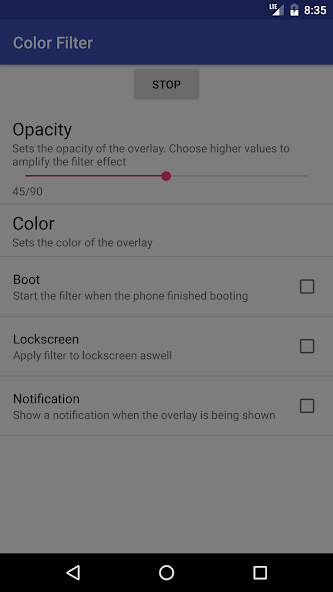
Color Filter provides a persistent color overlay on your Android device. This overlay, displayed as an always-on-top window, allows users to adjust the screen's color tint and intensity to their preferences. The primary benefit is reducing eye strain, especially during nighttime use or in low-light environments. While the app is straightforward to use, the overlay can sometimes interfere with installing new applications and may slightly impact performance on older devices. Overall, it's a useful tool for users sensitive to screen brightness and color.
Key Advantages
- Easy to use interface
- Customizable color and intensity
- Reduces eye strain effectively
Areas for Improvement
- May interfere with installing apps due to overlay permission
- Can sometimes cause performance issues on older devices
The description of Color Filter
Site Editorial Commentary:Dim your screen or filter it by color.
Color Filter is a screen overlay application designed to dim your screen or filter its colors, providing enhanced eye protection, especially in dark environments. By creating an always-on-top window with a user-selected color, this app effectively reduces screen brightness, mitigating potential eye strain and fatigue.This application is particularly useful at night, addressing the issue of overly bright phone screens that can cause discomfort or even long-term damage to your eyes. Furthermore, Color Filter helps minimize the impact of blue light emitted by screens, which has been linked to insomnia. By applying a red or yellow filter, the app reduces blue light exposure, potentially promoting better sleep (note: The effectiveness of this app is based on anecdotal evidence and has not been scientifically proven).
For support or inquiries, please contact the developer at [email protected].


