
Remote control for Samsung TV Smart & Free
Download ApkRemote control for Samsung TV Smart & Free Application Screenshots

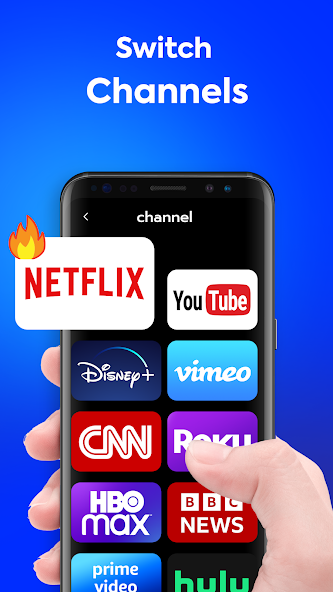


Remote control for Samsung TV Smart & Free AI Editor's Review
Effortlessly control your Samsung Smart TV with this free remote app. Enjoy a streamlined interface, comprehensive functionality, and convenient access to all your TV's features directly from your phone. Say goodbye to lost remotes!
Comprehensive Analysis
The 'Remote control for Samsung TV Smart & Free' app offers a convenient way to manage your Samsung Smart TV. It replicates the functionality of a physical remote, allowing users to change channels, adjust volume, navigate menus, and access smart features directly from their smartphone. The app is generally user-friendly, with a straightforward interface. However, the presence of advertisements may detract from the overall experience. Ensure your TV and phone are on the same Wi-Fi network for optimal performance.
Key Advantages
- Easy to use and intuitive interface
- Comprehensive control over Samsung Smart TV functions
- Free to download and use
Areas for Improvement
- May contain ads
- Requires a compatible Samsung Smart TV and Wi-Fi connection
The description of Remote control for Samsung TV Smart & Free
Site Editorial Commentary:Get TV Control Samsung Smart TV Remote, universal remote Samsung Smartthings app
Transform your smartphone into a powerful remote control for your Samsung TV with "Remote control for Samsung TV Smart & Free"! Forget about misplaced physical remotes – this app offers a convenient and comprehensive solution for conTrolling your Samsung TV directly from your phone.This app replicates the functionality of a traditional Samsung TV remote, providing a virtual remote control interface on your smartphone. It's a smart and free remote control solution designed for all Samsung TVs. The layout mirrors the original Samsung TV remote control model, ensuring a familiar and intuitive user experience. Functioning just like an infrared remote, this universal remote allows you to access all the features you would expect from a physical remote. It supports a wide range of Samsung TV series, including Samsung K-series Tizen TVs (2016 and later) and A, B, C, D, E, F, G, H, J series Samsung TVs with IR interface (also known as Samsung remote control ir).
Key Features:
* Compatible with all Samsung Smart TVs.
* Time-saving debugging remote button.
* Easy setup for adding and controlling your TV.
* Support for multiple remote control additions, allowing you to switch between devices easily.
How to Use:
1. Add a Samsung Remote Control for TV: On the app homepage, tap "ADD A REMOTE" to begin adding a universal TV remote control.
2. Choose Your Samsung TV Model: Select your TV model on the "CHOOSE MODE" page, or tap "SKIP" to test from the first model on the list.
3. Test the Remote: On the "TEST BUTTON" page, tap the button and confirm that your TV responds. (The button in the test area provides vibration feedback.)
4. Name Your Samsung TV Remote: If the TV responds correctly, tap "YES" and name the Samsung remote control for TV as desired.
5. Use the Samsung Remote App: Point your phone's IR blaster directly at the Samsung TV, just as you would with the original infrared remote.
Additional Tips:
* Add multiple Samsung Remote Control TVs for controlling various devices.
* Switch between saved Samsung remotes at any time.
* The last used remote control interface will be displayed upon next use.
* If you exit the app from a non-remote control interface, the last saved Samsung remote control interface will be displayed by default.
Disclaimer:
This universal remote control is not affiliated with or endorsed by Samsung or any other developers. This app is an unofficial product.
Our All Samsung TV Remote Control - Smart Remote App requires an IR blaster. Your device must have a built-in IR transmitter or an external infrared transmitter to control the TV.
What's New
1.General optimizations2.Experience improvements3.Performance and experience enhancements


