
Video Call Recorder
Download ApkVideo Call Recorder Application Screenshots



Video Call Recorder AI Editor's Review
Video Call Recorder efficiently captures video calls, offering a simple way to save important conversations. It's easy to use but lacks advanced features and customization. Ideal for basic recording needs, but may not suit users requiring professional-grade options.
Comprehensive Analysis
Video Call Recorder provides a straightforward solution for recording video calls. Its primary function is to capture ongoing conversations, allowing users to save and review important moments. The application is user-friendly, making it accessible to individuals with varying technical skills. However, it lacks advanced features such as editing tools, annotation capabilities, or diverse file format options. The recording quality is adequate for basic use, but the overall experience is somewhat limited compared to more comprehensive recording applications. It serves its basic purpose effectively.
Key Advantages
- Simple and easy-to-use interface
- Direct recording of video calls
- Saves video calls efficiently
Areas for Improvement
- Lacks advanced features and customization options
- Limited file format support
The description of Video Call Recorder
Site Editorial Commentary:Record Video Call with Voice & Capture Screen
Video Call Recorder lets you easily record your video calls with anyone in HD quality, storing them directly on your SD card with internal audio voice.How it works:
- Open the app and tap the recording button.
- A notification with Start/Stop buttons will appear.
- Start recording before your call begins and stop when it ends.
- Recorded videos are saved in the app folder.
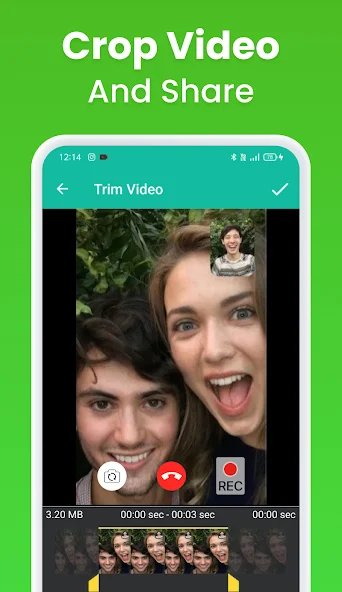
- From there, you can share, trim, and delete videos.
- Capture meetings and calls for future review or study.
- Record any outgoing and incoming video conferences with multiple participants.
This application offers a unique after-call feature, enabling screen recording after each phone call for easy sharing with family and friends.
You can also use this app to record live game streams, capture your screen, and cut videos with sound.
Call Menu Features help you stay productive with reminders during or after phone calls.
Record any ACR chat video and IMO audio calls from various platforms like WhatsApp, Facebook Messenger, Skype, and live streaming sessions directly on your phone.
Automatic recording start feature (coming soon in 2024).
Important notes:
- This app is independent and not affiliated with any social media site.
What's New
Record Screen with Video+Audio Call


