
背包地圖
Download Apk背包地圖 Application Screenshots


背包地圖 AI Editor's Review
Backpack Maps simplifies travel planning by offering a map-based interface to discover attractions, restaurants, and accommodations. It eliminates the need for extensive research, providing recommendations for budget-friendly hotels and popular sights, making trip organization effortless.
Comprehensive Analysis
Backpack Maps is designed to streamline travel planning. The app uses a map-based interface to allow users to easily find nearby attractions, restaurants, and hotels. It emphasizes cost-effectiveness, highlighting accommodations with good value. While the app simplifies the discovery process, users should cross-reference information with other sources to ensure accuracy. The app's ease of use makes it a valuable tool for spontaneous travelers.
Key Advantages
- Easy-to-use map interface for discovering travel spots
- Provides recommendations for restaurants and accommodations
- Helps users find budget-friendly (high CP) options
Areas for Improvement
- May lack detailed information for niche attractions.
- Accuracy of user reviews not always guaranteed.
The description of 背包地圖
Site Editorial Commentary:把世界旅遊景點與美食收進APP,看地圖推薦邊走邊玩,再也不用做行程規劃,就算出國旅遊離線時也不怕!
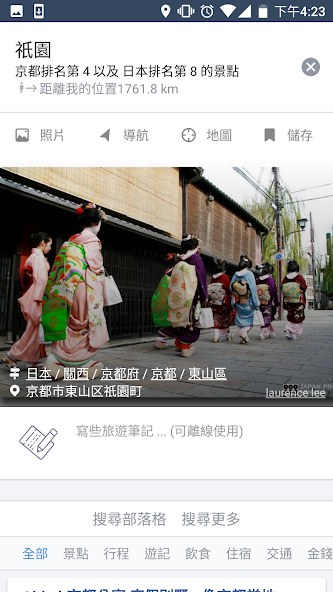
Tired of tedious travel planning? "Backpack map" helps you discover the best attractions and hidden gems effortlessly! This app allows you to explore top-rated tourist spots, delicious restaurants, and high-value hotels simply by sliding the map. No more complicated itinerary planning – transform from a travel novice to a savvy explorer instantly!* Zoom in or move the map to explore recommended tourist attractions and restaurants within the map area.
* Filter by categories such as attractions, Food, hotels, and transportation.
* Tap the save icon to record the tourist attractions or delicacies you want to visit.
* Each attraction provides references such as Backpackers.com.tw travel blogs, other travel blogs(i.e. pixnet), Google search, and Google images.
* Add notes to attractions for Offline reference during your travels.
* Press the gps positioning icon on the map to explore nearby recommended attractions and food, and display distances.
* Click the navigation button of an attraction to directly open Google Maps for navigation, and MAPS.ME is also supported.
* Sort attractions by popularity or distance from your current location.
* Search for attractions or any travel destination names, such as Taiwan, Japan, Tokyo, or Universal Studios Osaka.
* Hotel accommodations include price comparison links.
* Click the map to switch between attraction list mode or full-screen map mode.
* Set the app to use Traditional Chinese or Simplified Chinese.
[FAQ]
Q: Can I add an attraction that is not in the attraction list?
A: Click any attraction icon you see on the map to view detailed information or save it. You can also find more attractions and food by entering the complete name in the search box. After adding to your favorites, it will appear on the map. If you cannot find it at all, you can use the Backpackers.com.tw attraction map web version to create your own location, and then save it to view it on the APP.
Q: Can the map be bigger? What if the attraction I want to see is covered by others?
A: Tap the blank area of the map to open the full-screen map.
Q: Can the APP and web version data be interlinked?
A: As long as you log in with the same Backpackers.com.tw account, you can save attractions and add notes on the web version, and the data will be automatically synchronized to the APP for your travel itinerary planning reference.
Q: How to report and correct incorrect data?
A: Please use the "Report a Problem" function in the menu. You can also email directly to [email protected]
[Known Issues]
* When used in China, the discussion data of attractions may not be readable due to being blocked, and the location may be shifted.
* If you find that the saved attractions or travel notes cannot be updated normally, please try logging out of your account and logging in again.
For other questions, please contact [email protected]
[Permissions]
* Location: Allow access to GPS location to find nearby attractions, determine your distance from each attraction, or use the navigation function. It is recommended to use high-precision positioning mode. The APP only locates when you are using it, and there will be no unnecessary power consumption. You can change the positioning mode or turn off the positioning function in the APP settings menu.
What's New
* 修復部份問題


