
BRouter Offline Navigation
Tải xuống APKBRouter Offline Navigation Ảnh chụp màn hình ứng dụng


BRouter Offline Navigation AI Đánh giá của biên tập viên
BRouter Offline Navigation offers customizable, elevation-aware offline routing, perfect for cyclists and hikers. It provides detailed maps and precise navigation without requiring an internet connection, ensuring reliable guidance on any adventure.
Phân tích toàn diện
BRouter Offline Navigation is a powerful tool for offline route planning, especially useful for cyclists and hikers. It allows users to download map data and calculate routes without an internet connection. The elevation-aware feature is a standout, optimizing routes based on elevation profiles, which is crucial for cycling. While the initial setup might be complex for some, the level of customization offered is unmatched. The user interface, however, could benefit from a modern refresh, but the core functionality remains excellent and reliable.
Ưu điểm chính
- Offline Navigation: Reliable routing without internet.
- Elevation-Aware Routing: Optimizes routes based on elevation profiles.
- Highly Customizable: Tailor routing profiles to specific needs.
Khu vực cần cải thiện
- Initial setup can be complex for new users.
- User interface may feel dated compared to modern apps.
Mô tả của BRouter Offline Navigation
Site Editorial Commentary:Configurable, elevation-aware (bike-) Router for OFFLINE Navigation, OSM based.
BRouter Offline navigation is a highly configurable, elevation-aware routing app designed for offline navigation using open data. It excels in bike and hiking route calculation and seamlessly integrates with various map applications.For detailed documentation, please visit http://brouter.de/brouter. An online version is also available at http://brouter.de/brouter-web.
***Important note: This app requires a compatible map application to function. Please ensure you have a supporting map app installed and are comfortable with the setup process before downloading. This app is designed for users who are willing to invest some time in understanding its configuration.***
BRouter focuses solely on route calculation and does not display maps or routes independently. It operates in conjunction with a map application through two primary methods: a service interface and waypoint database integration. The service interface allows map applications to call BRouter for routing services, similar to online routing services, including dynamic recalculations when you deviate from the planned route. Alternatively, you can start the BRouter app and define your route using waypoints from the map application's database. The calculated route, including the elevation profile, is then saved as a GPX file in the map application's tracks directory.
Many popular map applications support both the service interface and waypoint database integration in their current versions available on Google Play.
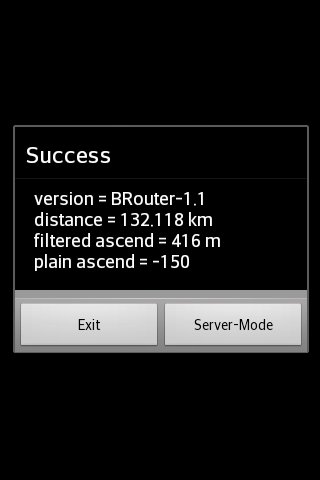
The service interface has a 60-second timeout, limiting its use to distances of approximately 50km. However, using the BRouter App directly allows you to calculate much longer routes. Even for long-distance tracks, you can utilize the service interface with dynamic recalculations by pre-calculating a route to your destination using the BRouter App and assigning it to a routing mode via the "Server-Mode" Button. This feature is known as "timeout-free recalculations".
Route calculation, whether through the service interface or the BRouter App, considers user-defined nogo areas. These areas can be defined as waypoints with a specific naming convention (e.g., "nogo200" for a 200m radius). This enables you to avoid obstacles or enforce personal preferences during route planning.
BRouter includes a download manager to facilitate the download of necessary routing data files. The download manager is launched upon the first app start and is subsequently accessible whenever internet access is available.
BRouter offers six routing modes (car/bike/foot * fast/short) traditionally used by routing services. These modes are mapped to BRouter's configurable routing profiles as follows by default:
car-fast -> car-test
car-short -> moped
bike-fast -> fastbike
bike-short -> trekking
foot-fast -> shortest
foot-short -> shortest
This mapping can be customized via the "Server-Mode" Button within the BRouter App. You can also modify existing routing profile definitions or create new ones to suit your specific needs.
Note that routing for cars is currently in an experimental state ("car-test") and is not recommended for general use. For example, turn restrictions are not yet fully implemented.


