
VIP Access
APKをダウンロードVIP Access アプリのスクリーンショット


VIP Access AI 編集者のレビュー
Symantec VIP Access provides strong authentication for your online accounts using multi-factor authentication. Generate secure codes or approve push notifications for enhanced security and protection against unauthorized access. It is easy to use and protects against a variety of online threats.
包括的な分析
VIP Access by Symantec is a mobile application designed to provide robust two-factor or multi-factor authentication for online accounts. It generates security codes or sends push notifications to verify user identity before granting access. The app aims to protect users from unauthorized access and potential security breaches. The user experience is straightforward, with a clean interface that simplifies the authentication process. While effective, relying solely on a mobile device for authentication can present a single point of failure.
主な利点
- Strong multi-factor authentication for enhanced security.
- Easy to set up and use with a simple interface.
- Supports multiple authentication methods, including push notifications and security codes.
改善点
- Can be inconvenient to use if you frequently access multiple accounts.
- Reliance on a single device could be a point of failure if the device is lost or compromised.
説明 VIP Access
Site Editorial Commentary:Use Symantec™ VIP Access to protect your online accounts.
Symantec VIP Access provides robust protection for your online accounts and transactions by employing a strong authentication process whenever you log in to your VIP-enabled accounts.• Strong Authentication: Delivers reliable two-factor authentication (2FA) to enhance the security of your VIP-enabled accounts during login.
• QR/App Code: Scan a QR Code to effortlessly generate site-specific security codes, enabling strong two-factor authentication for your frequently visited websites. You can also seamlessly migrate your credentials to a new device using this feature.
Use VIP Access with participating organizations such as E*TRADE, Facebook, Google, and hundreds of other sites within the VIP Network. Visit https://vip.symantec.com to see the full list.
Features:
Strong Authentication
VIP Access enhances your standard login procedure with strong authentication through the following methods:
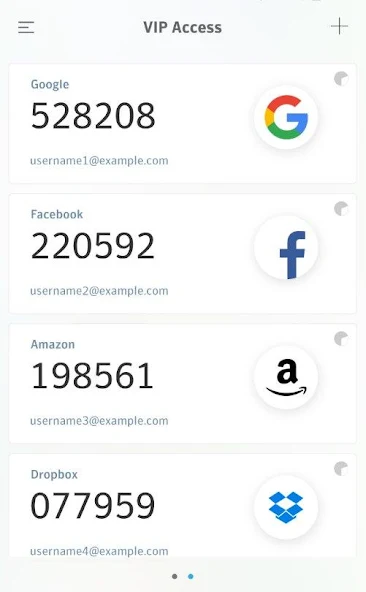
• Dynamically generate a unique, one-time security code directly on your mobile device. Use this code in conjunction with your username and password for secure access.
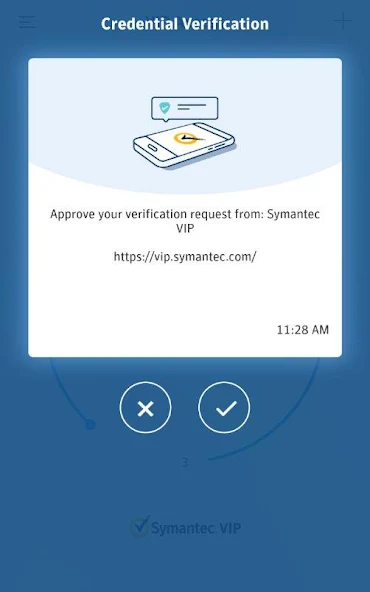
• Receive a push notification on your mobile device that requires your approval for authentication. If your organization mandates an additional device authentication method to meet security requirements, you will be prompted for local authentication such as a PIN, pattern, password, or fingerprint.
• Enter a challenge number on your mobile device, which you receive during the authentication process. This challenge number verifies your physical presence during authentication.
• Utilize fingerprint authentication or your security code within a push notification to authenticate yourself on your mobile device, providing a convenient and secure login experience.
note: Fingerprint authentication is contingent on your mobile device having fingerprint scanning capabilities and a registered fingerprint.
The specific strong authentication method employed depends on the implementation by your participating organization.
You can generate a security code even without an active network or mobile connection, ensuring continuous access to your accounts.
VIP Access offers compatibility with Android-based smart watches running Wear OS, enabling convenient authentication directly from your wrist.
QR/App Codes
• Scan a QR Code at participating organizations like Google, Facebook, Amazon, and more to generate a regularly changing security code (every 30 seconds) for secure sign-in. Enter this security code along with your password to fortify your favorite websites with strong authentication.
• Generate a QR code to facilitate the migration of your VIP Access credential to a new mobile device, streamlining the device transition process.
Before using VIP Access, be sure to review the VIP End User Agreement: https://docs.broadcom.com/doc/end-user-agreement-english
新着情報
This update has the following new features:• Facial recognition support for push notifications on Android (where supported by the device)• Bug fixes


