
PDF Reader - Viewer & Editor
Download ApkPDF Reader - Viewer & Editor Application Screenshots

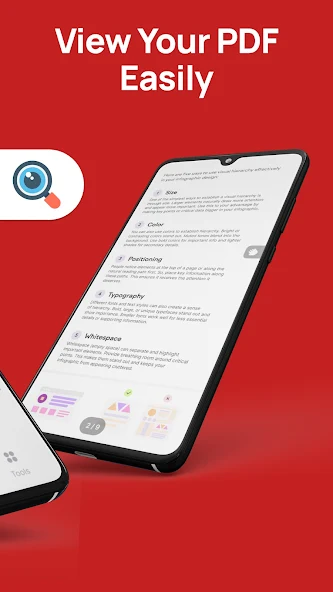


PDF Reader - Viewer & Editor AI Editor's Review
PDF Reader - Viewer & Editor is a convenient Android app for viewing, editing, and managing PDF documents. It offers a user-friendly interface and essential features for handling PDFs on the go, making it a practical tool for students and professionals alike.
Comprehensive Analysis
PDF Reader - Viewer & Editor provides a streamlined experience for interacting with PDF files on Android devices. The app allows users to easily view, annotate, and edit PDF documents. Its intuitive design makes it simple to navigate through pages and utilize various tools. While it may not offer the same level of sophistication as desktop PDF editors, it serves as a reliable and portable solution for basic PDF management tasks. The app is suitable for users who need a quick and efficient way to handle PDFs on their mobile devices.
Key Advantages
- User-friendly interface for easy navigation
- Essential PDF viewing and editing features
- Convenient for managing PDF documents on the go
Areas for Improvement
- May lack advanced editing features compared to desktop software
- Potential for occasional performance issues with large files
The description of PDF Reader - Viewer & Editor
Site Editorial Commentary:View, edit, and manage PDF files all in one with PDF Viewer Anywhere
## PDF Reader - Viewer & Editor: Your All-in-One Android PDF SolutionUnlock the full potential of your Android device with PDF Reader - Viewer & Editor, a comprehensive application designed to revolutionize how you interact with PDF documents. Ideal for students, professionals, and anyone seeking efficient digital document management, this app combines powerful features with an intuitive interface for an unparalleled PDF experience.
**Key Features for Enhanced PDF Management:**
* **Lightning-Fast PDF Viewing:** Experience unparalleled speed with rapid document loading and incredibly smooth scrolling, even for large PDF files. Enjoy a fluid and responsive reading experience that lets you access information swiftly, boosting your productivity.
* **Intelligent Search & navigation:** Quickly locate information within your documents using a robust search function. Effortlessly navigate with page thumbnails and a 'go-to-page' feature, enabling you to pinpoint specific content quickly and efficiently.
* **Smart File Organization:** Organize your PDF files efficiently with intuitive sorting, renaming, deleting, and moving options. Keep your documents meticulously organized and easily accessible, streamlining your workflow.
* **Customizable Reading modes:** Enhance your reading comfort with Night Mode for low-light environments and adjustable screen brightness. Minimize eye strain for comfortable viewing, perfect for late-night study sessions or work.
* **Comprehensive Annotation & Bookmarking:** Highlight text, add notes, and annotate documents using powerful PDF editor annotation tools. Mark key sections with bookmarks for quick reference, streamlining review and editing processes, and facilitating efficient collaboration.
* **Flexible Viewing Options:** Customize your viewing experience with zoom in/out, page rotation, and single-page or continuous scrolling modes. Tailor the display to your needs for optimal readability and a personalized experience, enhancing your overall reading experience.
* **Integrated PDF Tools:** Utilize the built-in PDF scanner and editor to digitize and modify documents. Seamlessly convert Word files to PDF using the integrated Word-to-PDF converter, simplifying the document creation process. Easily create and edit PDFs from various sources directly within the app, streamlining your workflow.
* **Complete PDF Management:** Sign documents digitally, scan PDFs directly from your device, and make quick edits, all within the app. Manage your entire PDF workflow in one centralized location, saving time and maximizing efficiency.
* **Offline Accessibility:** Access and view PDFs anytime, anywhere, even without an internet connection. Perfect for on-the-go productivity, ensuring you always have access to your important files, even when offline.
* **Print & Share Capabilities:** Print documents directly or share them via email, cloud storage, or messaging apps, simplifying collaboration and document distribution. Easily share your PDFs with others, making teamwork effortless and efficient.
* **Password Protection:** Securely open and view password-protected files, ensuring the privacy and protection of your sensitive documents.
* **All-in-One PDF Solution:** This app offers a full suite of features, from reading and viewing to powerful editing and annotation. Enjoy seamless integration of PDF scanning, editing, annotation, and signing capabilities for an unparalleled user experience. Do more with your PDFs and maximize your productivity with a single, powerful application.
Download PDF Reader - Viewer & Editor today and experience the ultimate PDF solution for your Android device! Simplify your digital document management and make it the only PDF app you'll ever need. We are committed to providing a top-notch PDF experience and are dedicated to continuously improving the app. Contact us with any suggestions or questions. Thank you for your support!


