
MP3 Video Converter
Download ApkMP3 Video Converter Application Screenshots


MP3 Video Converter AI Editor's Review
MP3 Video Converter is a user-friendly Android app that effortlessly extracts high-quality audio from video files. Convert videos to MP3 format quickly and easily, making it perfect for creating ringtones, audiobooks, or listening to music. Simple interface and fast conversion speeds.
Comprehensive Analysis
MP3 Video Converter simplifies the process of extracting audio from video files on Android devices. The app supports a variety of video formats, allowing users to convert them into MP3 files quickly. The intuitive interface makes it easy for anyone to use, regardless of technical expertise. While the app performs its primary function well, it lacks advanced audio editing features. Users may encounter ads during use, which can be disruptive. Overall, it's a convenient tool for basic video-to-MP3 conversion.
Key Advantages
- Easy to use interface for quick conversions
- Supports various video formats for wide compatibility
- Fast conversion speeds save time and effort
Areas for Improvement
- May contain ads that interrupt the user experience
- Limited advanced audio editing options
The description of MP3 Video Converter
Site Editorial Commentary:Extract music from multiple videos. Fast Video to MP3 Converter
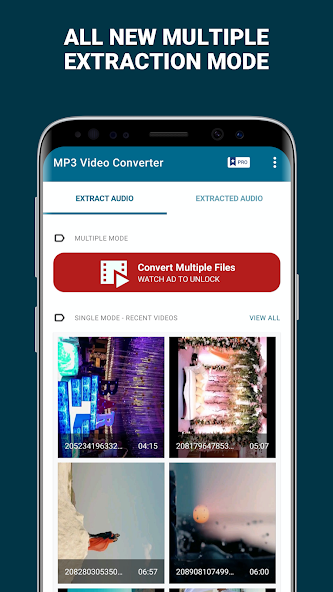
With MP3 Video Converter, effortlessly extract high-quality audio from your video files. This intuitive app simplifies the process: just select your desired video and tap 'Convert' to extract the audio in MP3 format. It's that easy!Enjoy the convenience of converting multiple videos to audio simultaneously. Our app imposes no limitations on the number of conversions you can perform.
Customize your experience by easily updating the location or target directory for saving your MP3 files within the settings menu.
Advanced Features:
1. Bitrate Options: Choose from a range of bitrates including 8Kbit/s, 16Kbit/s, 24Kbit/s, 32Kbit/s, 64Kbit/s, 128Kbit/s, 192Kbit/s, and 256Kbit/s, tailoring the audio quality to your specific needs.
2. Supports a wide array of video formats, including 3GP, FLV, and MP4, ensuring compatibility with your video library.
3. Compatible with various audio formats such as MP3, AAC, and M4A, providing flexibility in your audio output.
MP3 Video Converter utilizes the LGPL ffmpeg and libmp3lame libraries as its core codecs, ensuring reliable and efficient performance.
What's New
- Performance Improvements


