
Perfect Viewer
Download ApkPerfect Viewer Application Screenshots



Perfect Viewer AI Editor's Review
Perfect Viewer is a highly optimized and versatile image, comic, and ebook viewer for Android. It boasts exceptional speed and a user-friendly interface, making it a top choice for digital media consumption on the go.
Comprehensive Analysis
Perfect Viewer excels as a swift and adaptable viewer for images, comics, and ebooks. Its speed is a standout feature, allowing for seamless navigation through large files. The application supports various formats, including CBZ, CBR, and EPUB. Users can customize reading settings, such as page layout, zoom, and background color. While the extensive customization can be initially daunting, the performance and format compatibility make it a worthwhile choice for avid readers and comic enthusiasts.
Key Advantages
- Blazing fast image rendering and loading speeds.
- Supports a wide range of image, comic, and ebook formats.
- Highly customizable interface with numerous viewing options.
Areas for Improvement
- The sheer number of options can be overwhelming for new users.
- Occasional UI inconsistencies across different Android versions.
The description of Perfect Viewer
Site Editorial Commentary:The most powerful and fast image/comics viewer.
Perfect Viewer is a fast and versatile image, comics, and ebook viewer for Android.* **Colorize Black/White Images:** Transform black and white images into vibrant 4-color images (Exclusive feature for donated users; requires the Perfect Viewer donation application).
* **Flexible Page Layouts:** Offers auto single page, auto dual page, and automatic switching based on screen orientation.
* **Extensive eBook Support:** Reads epub, HTML, and TXT ebook formats.
* **Broad Image Format Compatibility:** Handles JPEG, PNG, GIF, BMP, WebP, and TIFF image files.
* **Archive Format Support:** Opens CBZ/ZIP, CBR/RAR, 7Z/CB7, LZH, and CBT/TAR archive files.
* **PDF, XPS, and DJVU Support:** Extends functionality to PDF, XPS, and DJVU files with the PDF plugin.
* **Network File Sharing:** Access files from network shares via CIFS/SAMBA, FTP, SFTP, and FTPS, and OPDS.
* note: Internet permission is required for CIFS/SAMBA support.
* **Cloud Storage Integration:** Supports opening files directly from Google Drive, Dropbox, and OneDrive with the source plugin.
* Note: Requires "GET_ACCOUNTS" and "USE_CREDENTIALS" permissions for Google Drive integration.
* **Versatile Viewer modes:** Choose between Page mode, Vertical scroll mode (ideal for PDF viewing and webtoons), and Horizontal scroll mode.
* **Smooth Image Filters:** Includes Averaging, Bilinear, Bicubic, and Lanczos3 filters for enhanced viewing.
* **Multiple View Modes:** Offers Full size, Fit Screen, Fit Width, Fit Height, Fixed size, and Stretch view modes.
* **reading Direction Support:** Accommodates both Left-to-right and Right-to-left reading preferences.
* **Wallpaper Setting:** Set images directly as your device's wallpaper.
* **Thumbnail Browsing:** Browse images within folders or archives as thumbnails.
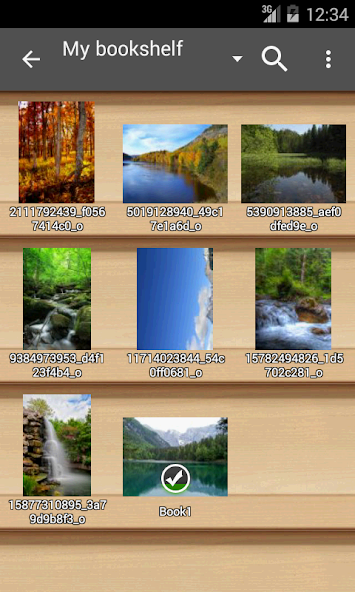
* **Bookshelf Organization:** Organize your digital library with the built-in bookshelf function.
* **Intuitive Gestures:** Supports pinch-to-zoom and fling gestures for easy navigation.
* **Simple Bookmarking:** Quickly bookmark your favorite pages.
* **Favorites Management:** Manage and access your favorite content easily.
* **Page Caching:** Caches the next and previous pages for faster loading.
* **Basic File Management:** Provides simple file management features like delete and rename.
* **Slideshow Functionality:** Enjoy your images in a slideshow.
* **Archive Extraction:** Extract files directly from archives.
* **Image Adjustments:** Adjust image brightness, contrast, and gamma for optimal viewing.
* **Automatic Border Cropping:** Automatically cut off white borders for a cleaner look.
* **Google Chromecast Support:** Cast your content to your TV using Google Chromecast.
* **Balloon Magnifier:** Use the balloon magnifier for detailed viewing.
What's New
2026/03/12 Version 5.0.4.5-Fixed : Back button behavior issue on Android 15+ devices.


